Built for macOS developers

Work with JSON & XML faster.

Validate, format, compare, generate code, and send REST requests from one native workspace.

Everything you need for daily JSON/XML tasks

JsonXmlEditor keeps your workflow focused with practical tools for real development work.

Editor Experience

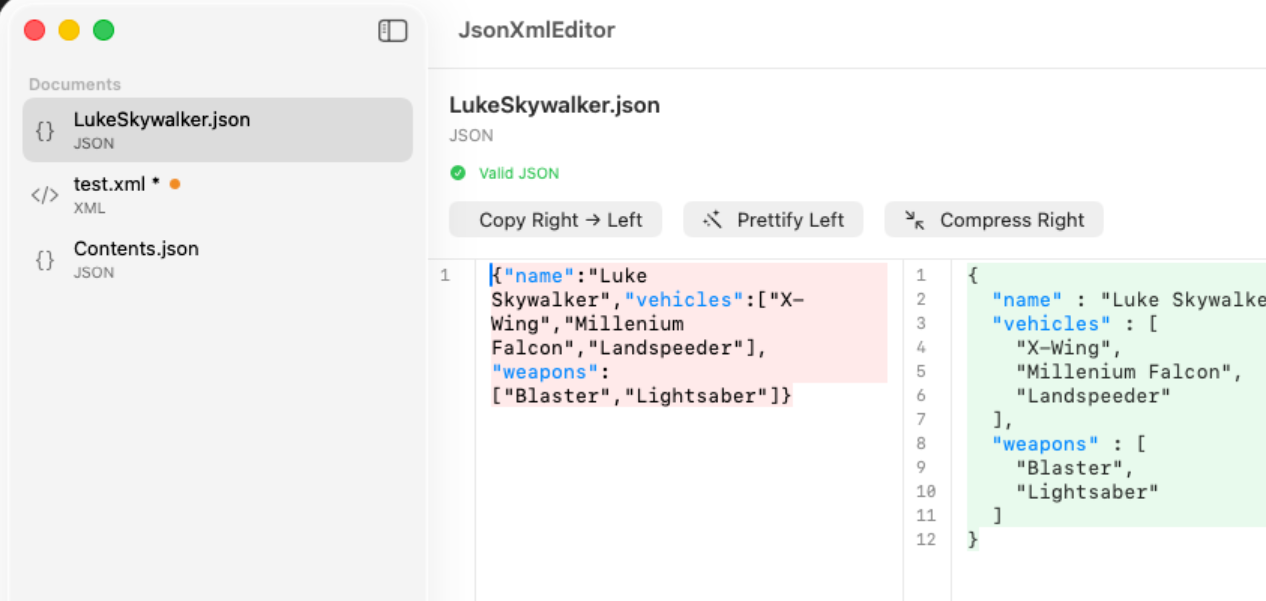
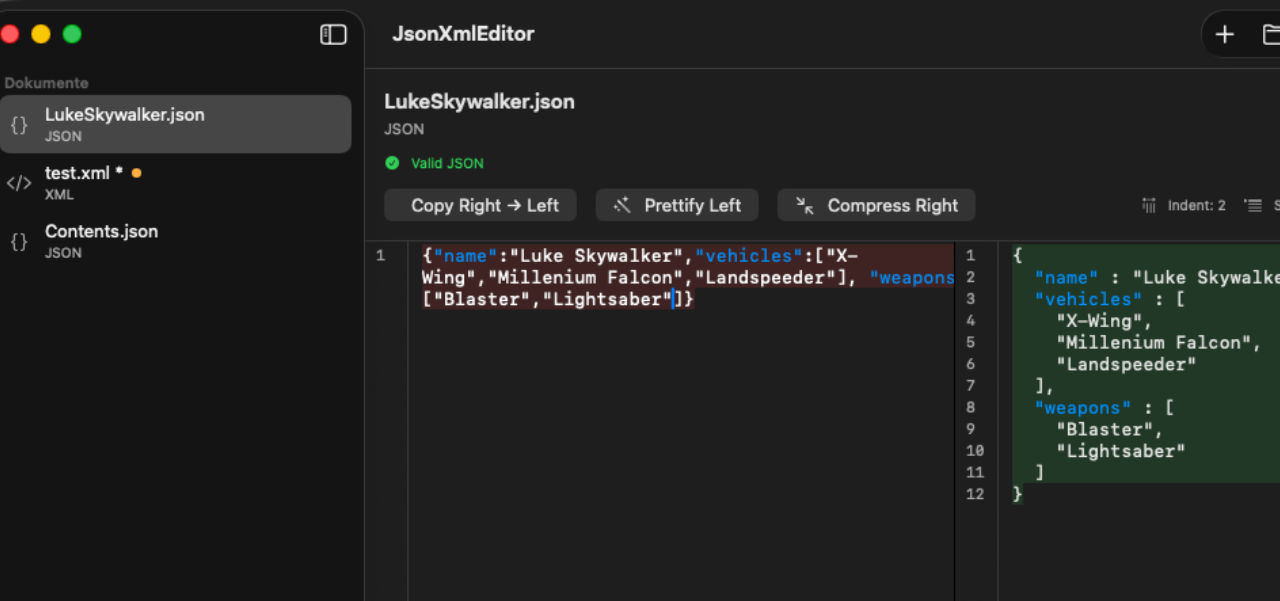
  • A beautifully split canvas: editable source on the left, validated and formatted output on the right.
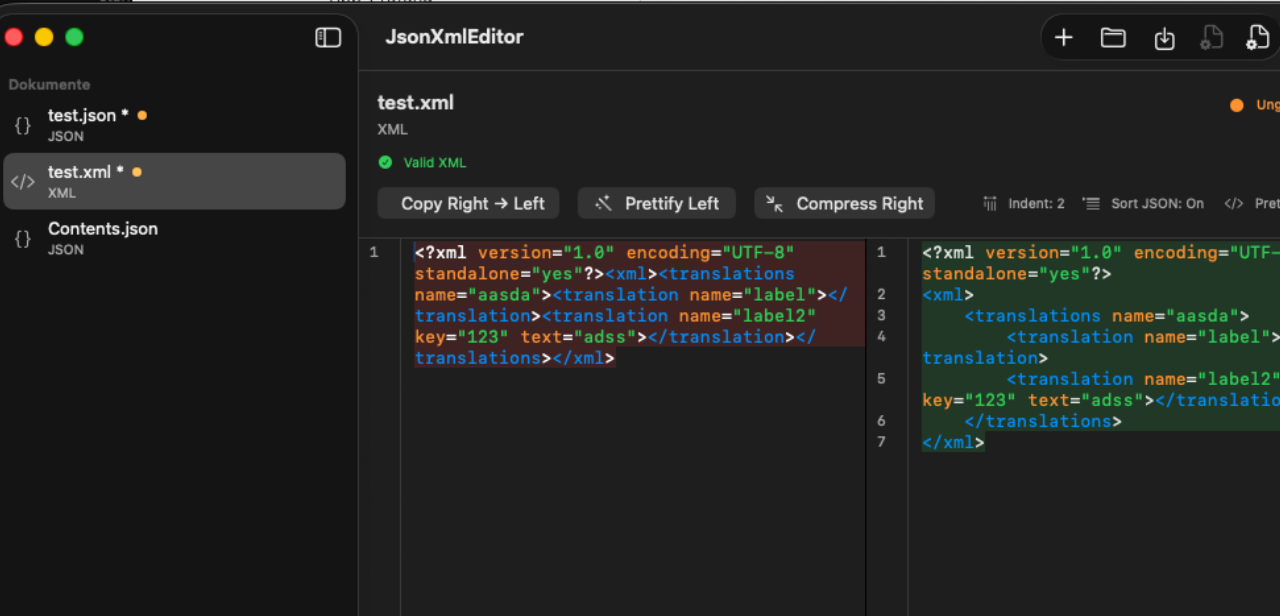
  • Instant JSON and XML detection with clear validity status at a glance.
  • Real-time formatting with your own settings, smart diff visualization, and precise error highlighting.
  • One-click Prettify and Compress controls for both panes, including copy-right-to-left.
  • Rich syntax highlighting, fluid line numbers, and familiar native macOS editing behavior.
Document & File Management

  • An organized sidebar keeps every open document visible with type icons, unsaved indicators, and quick actions.
  • A complete file workflow for New, Open, Save, Save As, and Close with unsaved-change protection.
  • Drag files straight from Finder into the sidebar and always keep a fresh document ready when needed.
  • Native support for .json, .xml, and .txt files with save suggestions based on detected content.

Formatting Controls

  • Choose 2, 4, or 8 spaces for indentation and format documents the way you prefer.
  • Optional JSON key sorting and XML pretty-printing give you control over the final output.
  • Formatting preferences apply consistently across every open document.

Built-in REST Client Workspace

  • A dedicated REST workspace with persistent multi-tab requests for add, duplicate, rename, and close workflows.
  • A full request builder with methods, URL input, query and header tables, and a JSON-aware body editor.
  • Smart URL normalization fixes malformed protocols and pasted input automatically.
  • Automatic Accept, User-Agent, and JSON Content-Type defaults keep requests well formed.
  • A response inspector shows status, headers, body, transcript, formatting tools, and open-as-document actions.
  • Clear network error details include useful host-resolution hints.

Code Generators

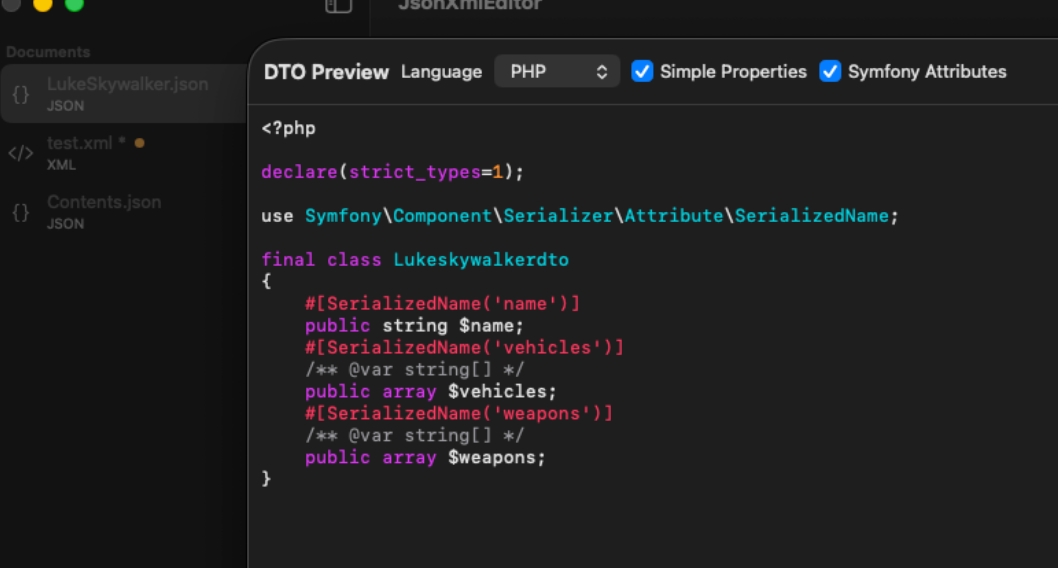
  • Generate DTO code from valid JSON payloads with preview and export in one save flow.
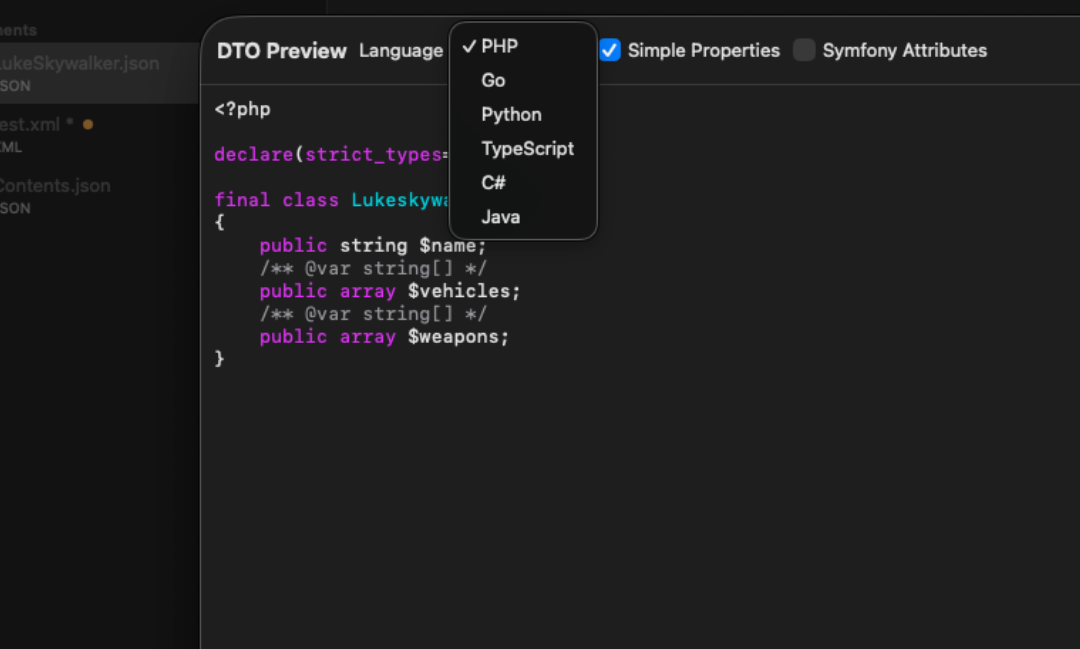
  • Create DTOs for PHP, Go, Python, TypeScript, C#, and Java, with the last-used language remembered.
  • PHP generation supports Simple Properties and Symfony Attributes modes.
  • Readable syntax-highlighted previews make generated code easy to review before export.
  • Unsupported payload types return clear and specific error messages.
  • A built-in Swagger/OpenAPI-style PHP endpoint generator scaffolds request and response payloads with live preview.

Persistence, Localization & Preferences

  • Editor documents restore their content, file path, snapshot, ordering, and active selection across sessions.
  • REST tabs persist method, URL, params, headers, body, protocol, results, and active tab state.
  • Display language can be chosen independently from system language.
  • The app supports 15 display-language options, including System Default.
  • Formatting, default DTO language, and display language preferences stay available in one place.

Designed for speed and clarity

Privacy by design

Get JsonXmlEditor for macOS

Boost your productivity with a native, lightweight, and privacy-first editor for JSON and XML.

Download on the App Store

Need help?

If you have questions, bug reports, or feature requests, contact us and we will respond as quickly as possible.

Open the full support page